



VCF 9 Day 2 - Assigning new ESX Hosts to a Workload Domain Cluster



VMware VCF
Published on 13 February 2026 by Christopher Lewis. Words: 339. Reading Time: 2 mins.
Once you have commissioned a host you can add it into a VCF Workload Domain Cluster with a few simple steps. Let us take a look how easy that is to do!
Step By Step Guide
Official Tech Docs
The official Broadcom Tech Document is located under Add an ESX Host to an SDDC Cluster in a VCF Domain .
Prerequisites
To complete the step by step guide, you will need have completed the following (other prerequisites are available in the Tech Doc):
- Successfully commissioned one or more ESX hosts in VCF 9.
- Administrative access to the Target Workload Domain vCenter.
- Identify which physical network interfaces need to be mapped to which VDS.
In this walkthrough, we are adding the host to the Management Workload Domain cluster but the steps are the same for any Workload Domain.
Walkthrough
Add Commissioned ESX Hosts to a Workload Domain Cluster
- Navigate to the vCenter url (i.e.
https://<vc01m.fqdn>) in the web browser and log in with appropriate administrative credentials, such asadministrator@vsphere.local.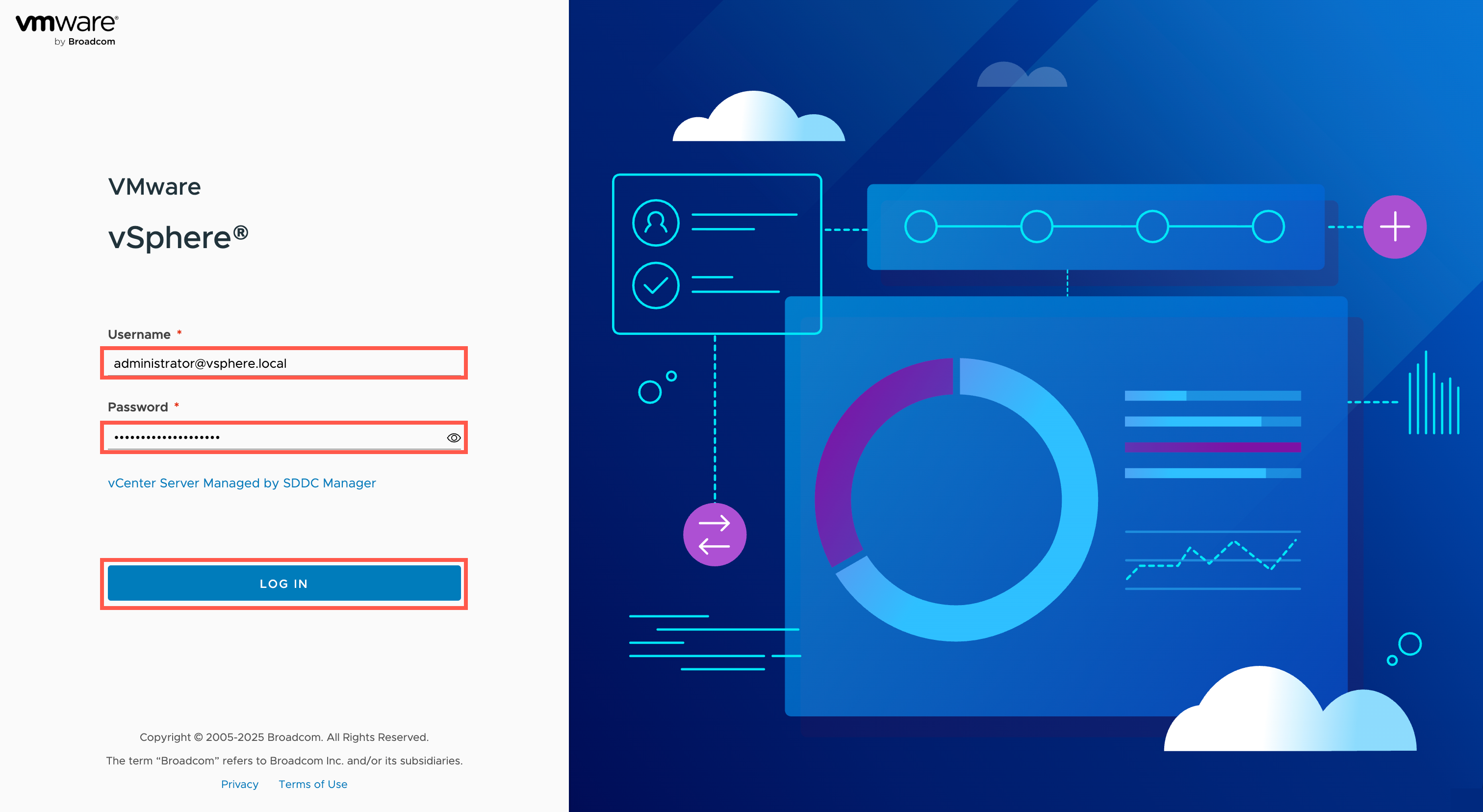
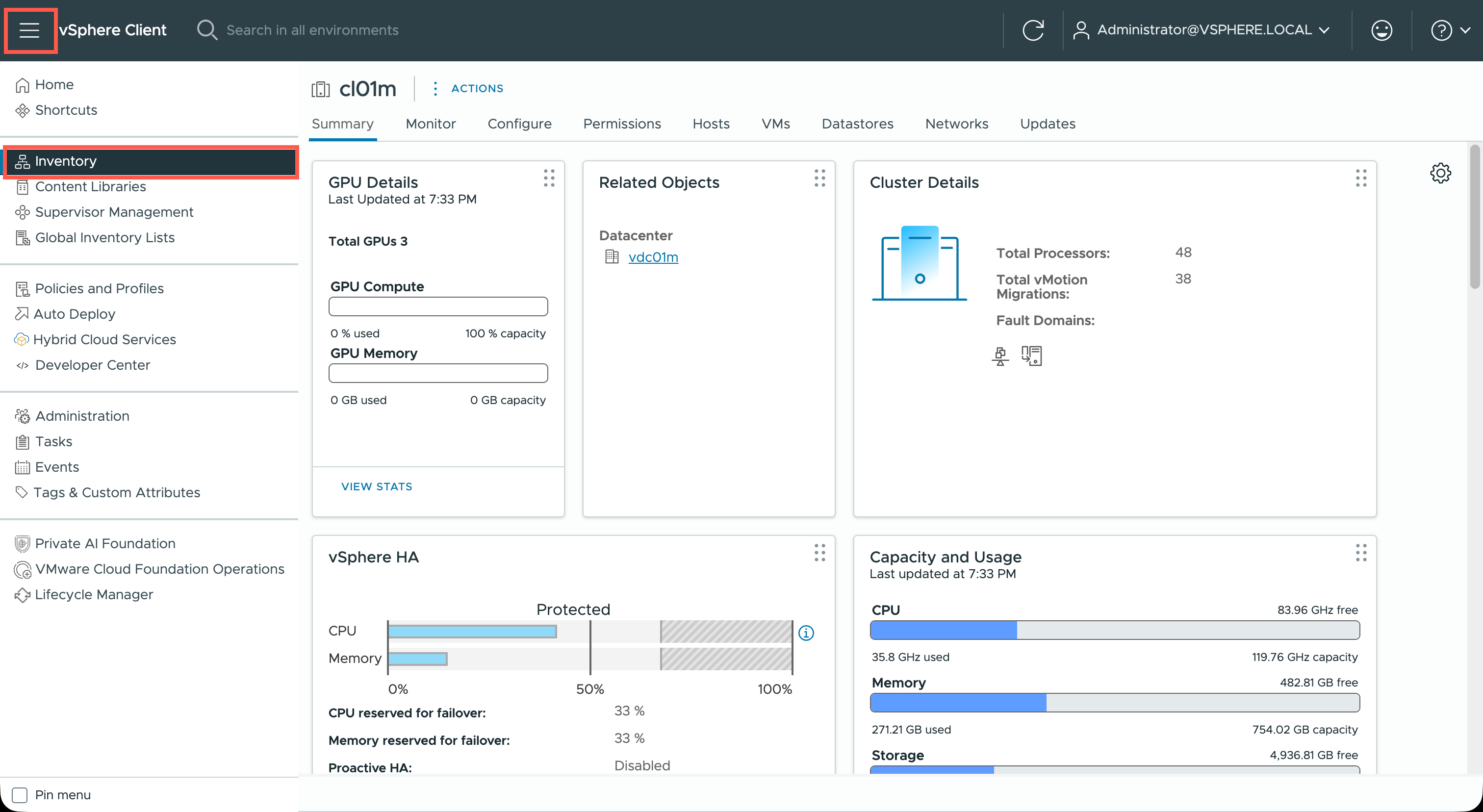
- Within the vCenter, click the menu icon and then click Inventory.
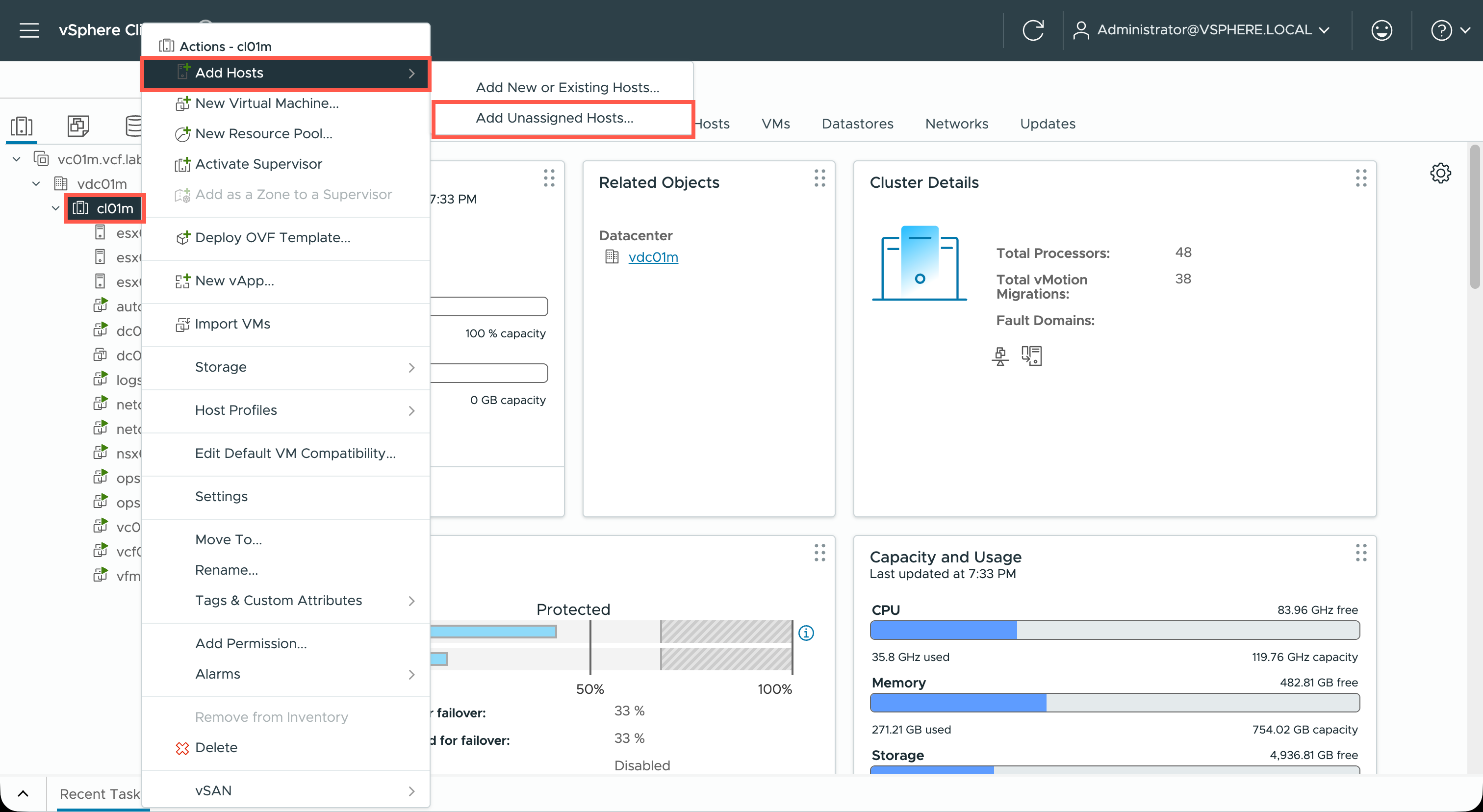
- Locate the Workload Domain cluster within the vCenter inventory, right-click and click Add Hosts and then click Add Unassigned Hosts….
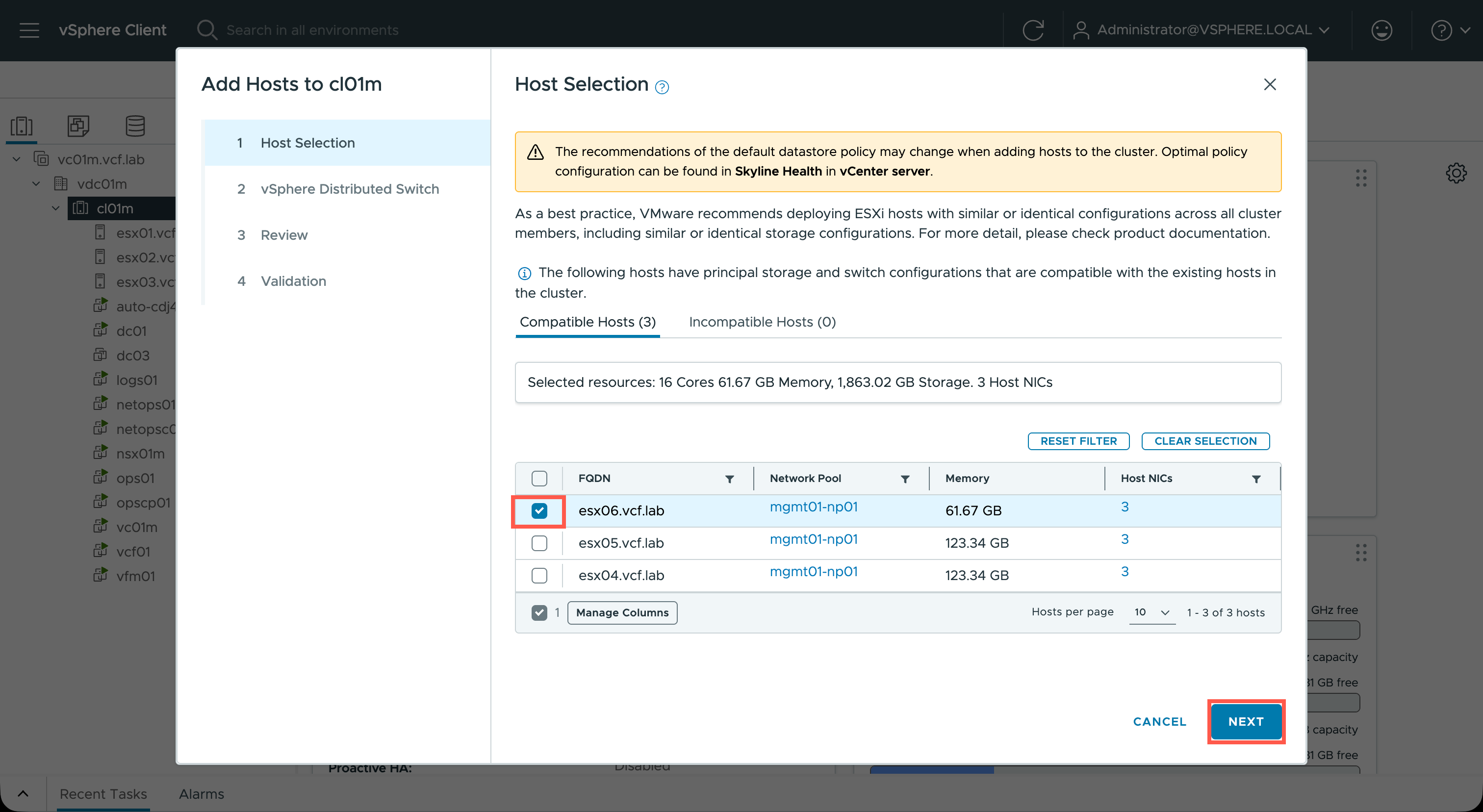
- At the Add Hosts to <cluster> dialog, under the Host Selection section, check the checkbox of each of the compatible, unassigned hosts that need to be added to the Workload Domain cluster and click NEXT.
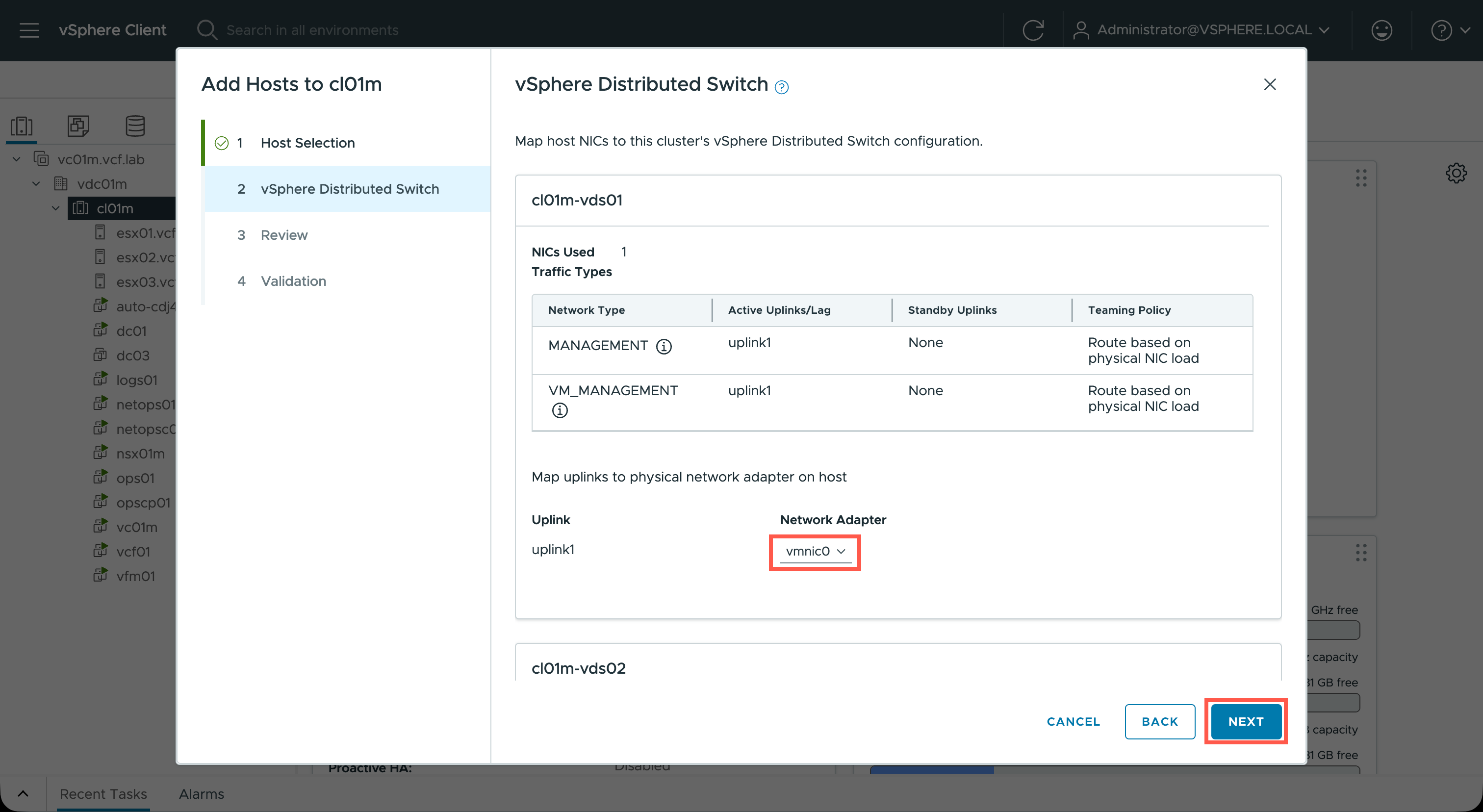
- At the Add Hosts to <cluster> dialog, under the vSphere Distributed Switch section, check each of Uplinks for each of the switches are correctly mapped to the correct network adapter(s) and then click NEXT.
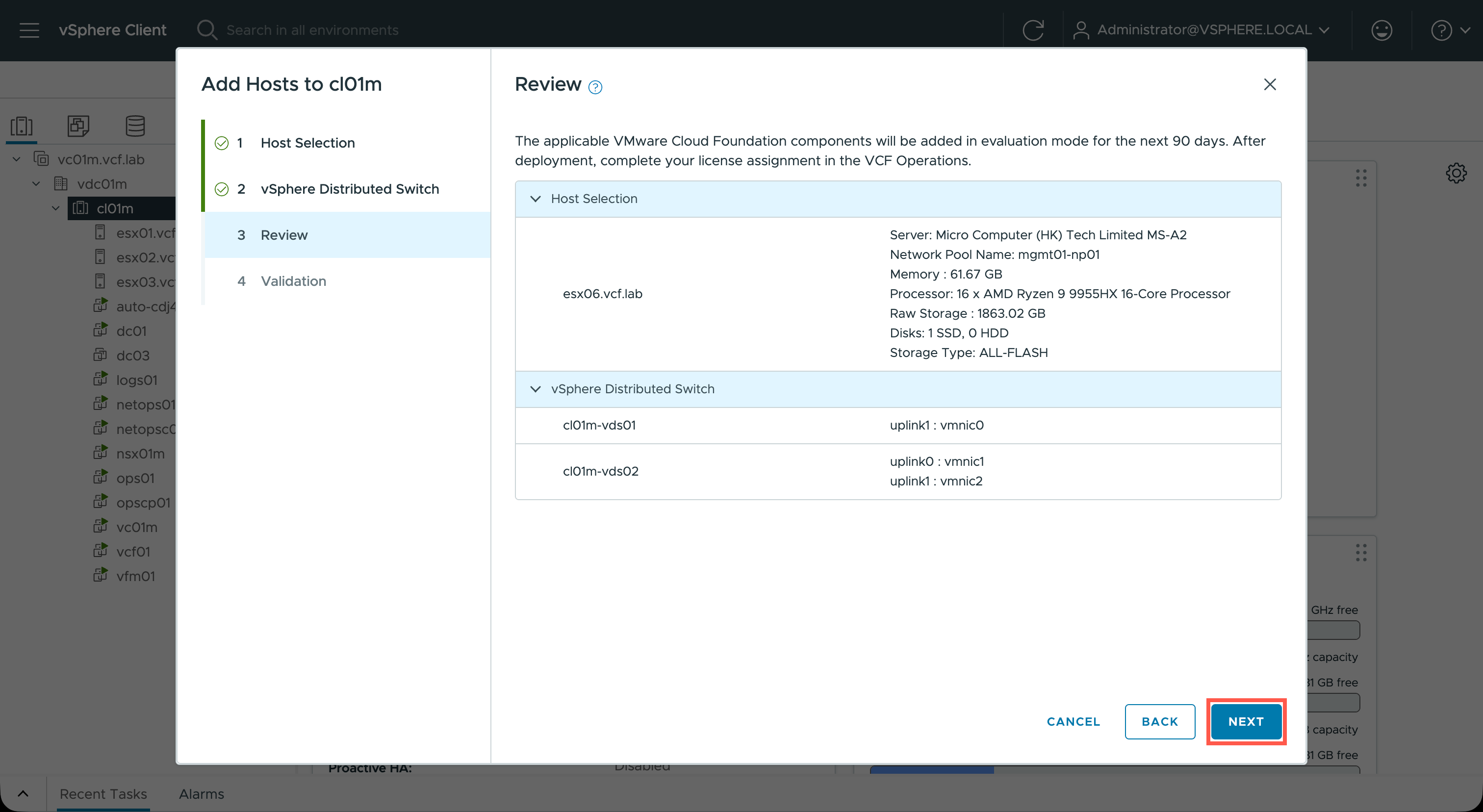
- At the Add Hosts to <cluster> dialog, under the Review section, click NEXT.
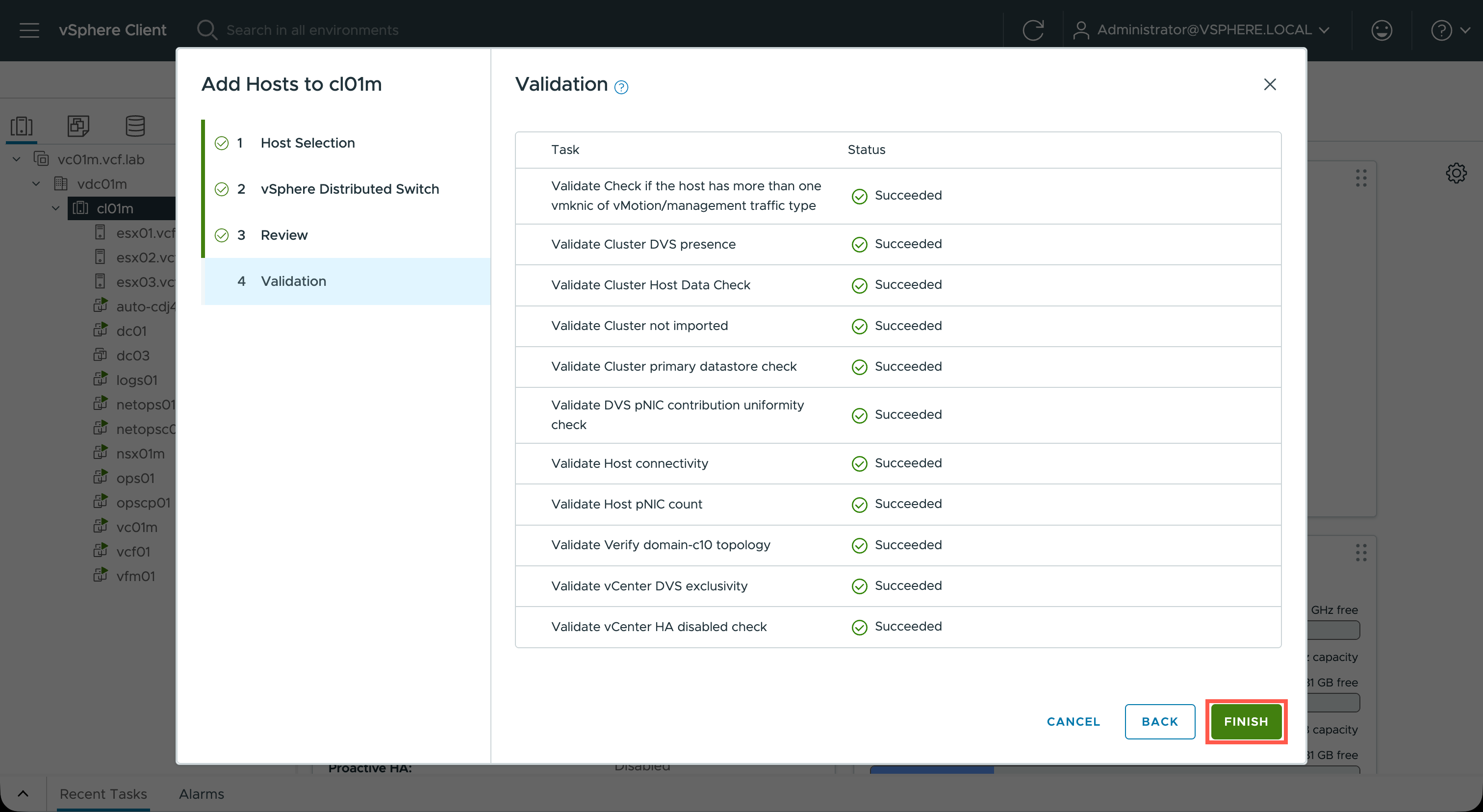
- At the Add Hosts to <cluster> dialog, under the Validation section, wait for the each validation to complete, then click FINISH.
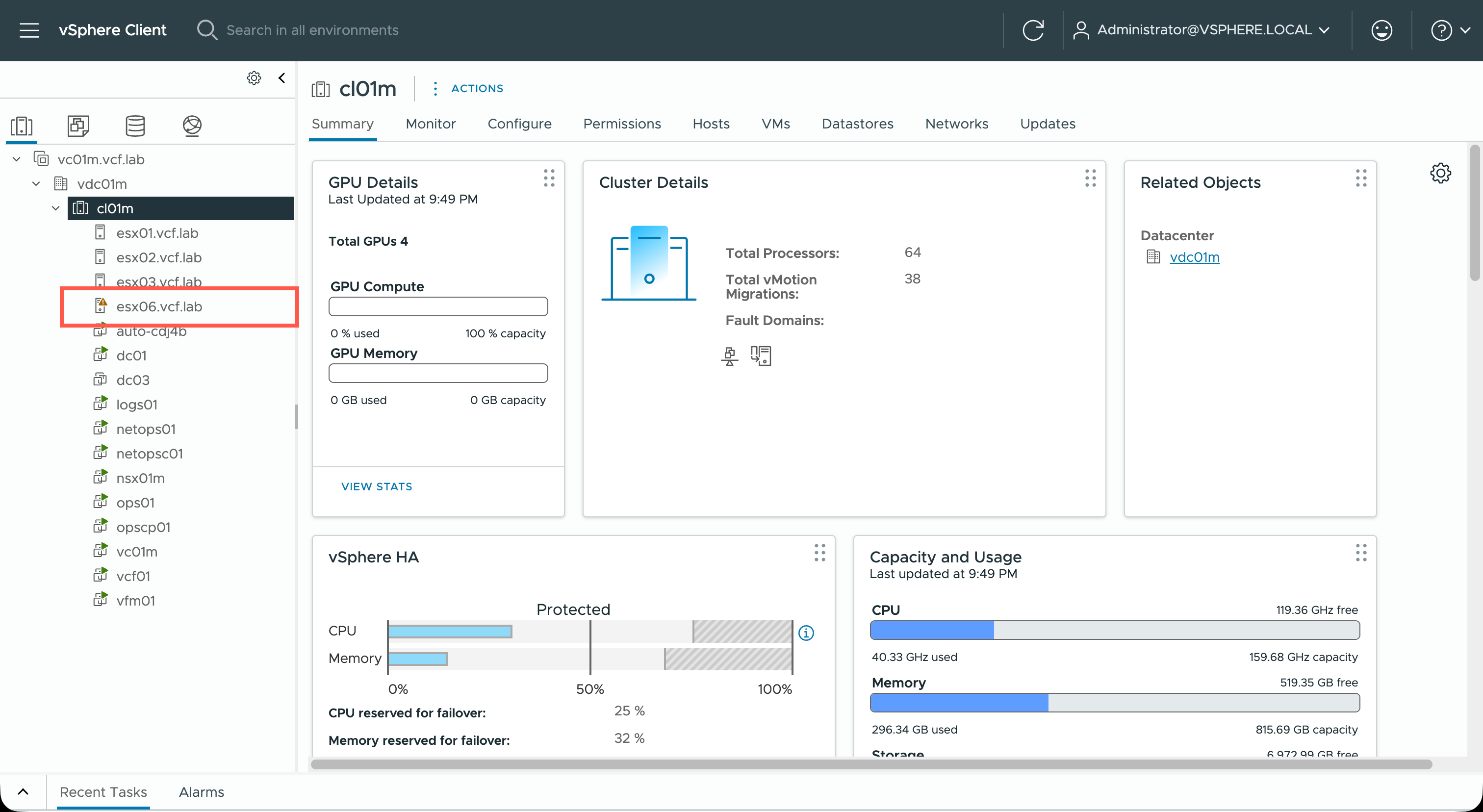
- Eventually the host will appear in the Workload Domain cluster in vCenter.
Recap
In this article we reviewed the process that an administrator would take to make add new ESX hosts to a VCF Workload Domain cluster.
Published on 13 February 2026 by Christopher Lewis. Words: 339. Reading Time: 2 mins.